Bitget APIBitget API
UTAClassic
Legacy Doc
  • Overview
  • API Documentation
  • WebSocket
  • Agent Hub
  • SDK
  • Changelog
Copied to clipboard
Getting Started
Unified Trading AccountReality Trading GuideBest Practices GuideQuick Start
Demo Trading
    REST APIWebSocket
Rate Limit
API Reference
API DocumentationEnumeration
Error Code
Demo Trading

Demo Trading (REST API)

Demo trading allows you to practice trading and test strategies in a real-market environment using virtual funds, helping you improve your skills and reduce the risk of losses. KYC is needed.

API Key

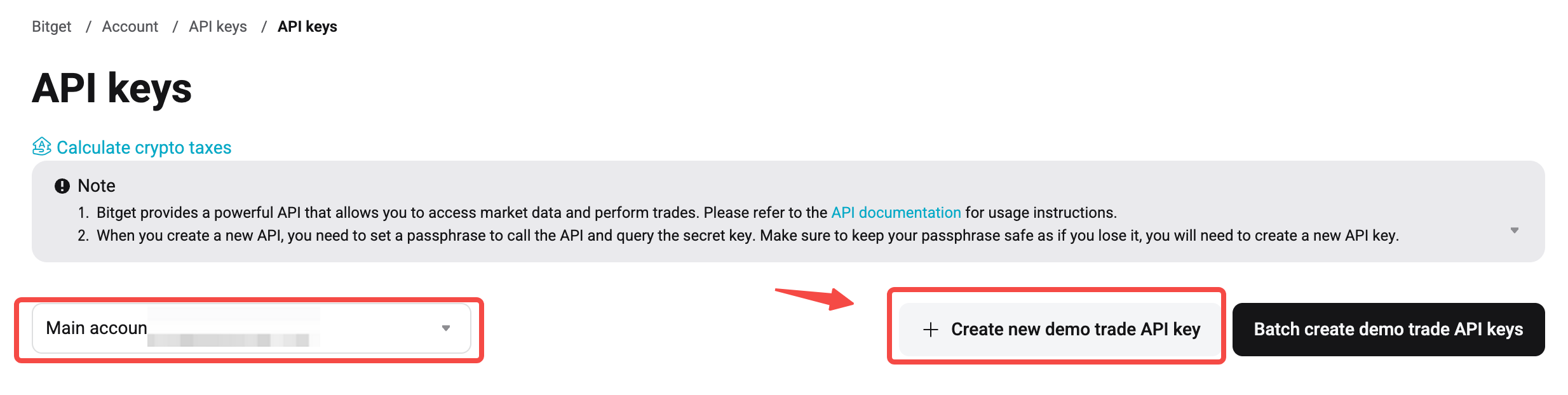
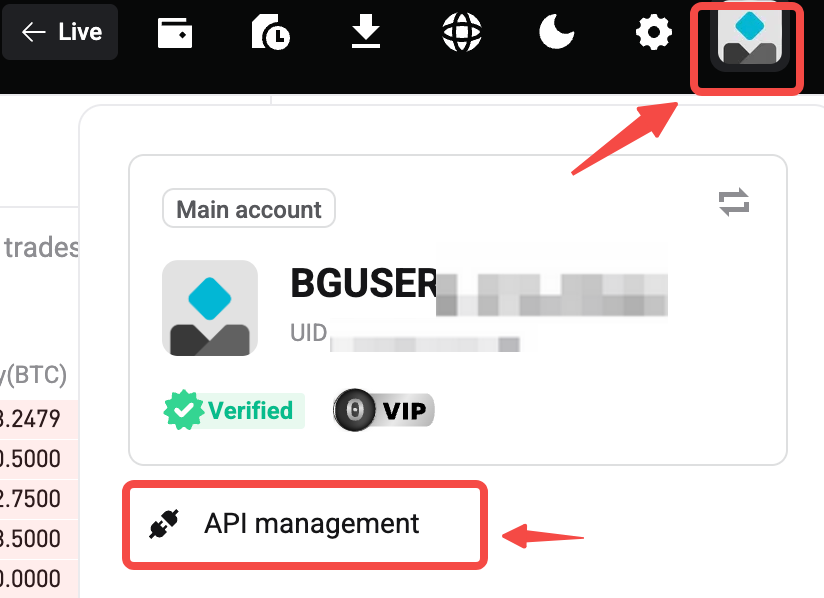
To perform demo trading via API, you'll need to create a Demo API Key in the first place. The steps are as follows:

Log in to your account → Switch to Demo mode → Go to the Personal Center → Go to the API Key Management → Create a Demo API Key → Use the Demo API Key to start trading.

Demo trading entry

Personal Center

Create API Key

REST

Please use the created Demo API Key for API calls, and add paptrading in the request header, with the value set to 1.

Request Header Example

Code
GET /api/v3/market/instruments?category=usdt-futures HTTP/1.1 ACCESS-KEY: bg_xxx ACCESS-SIGN: xxxx= ACCESS-TIMESTAMP: 1787033528294 ACCESS-PASSPHRASE: xxxxxx locale: zh-CN Content-Type: application/json paptrading: 1 <---- please add this filed in the request header User-Agent: PostmanRuntime/7.43.0 Accept: */* Postman-Token: xxxx Host: api.bitget.com Accept-Encoding: gzip, deflate, br Connection: keep-alive Cookie: xxxx
Quick StartWebSocket
On this page
  • API Key
  • REST
  • Request Header Example